Salla with tkana
Your Salla store sells and serves on WhatsApp, and the order closes in the chat.


Install tkana from the Salla App Store and run it from inside your Salla dashboard: the inbox, skills, knowledge and plan all live there. The agent knows your products and orders, delivers your store notifications on your own WhatsApp number, and lets a customer find a product, order it and follow it without leaving the conversation.
How you use it
Real moments from your working day, and what the agent does in each.
The customer orders in the chat
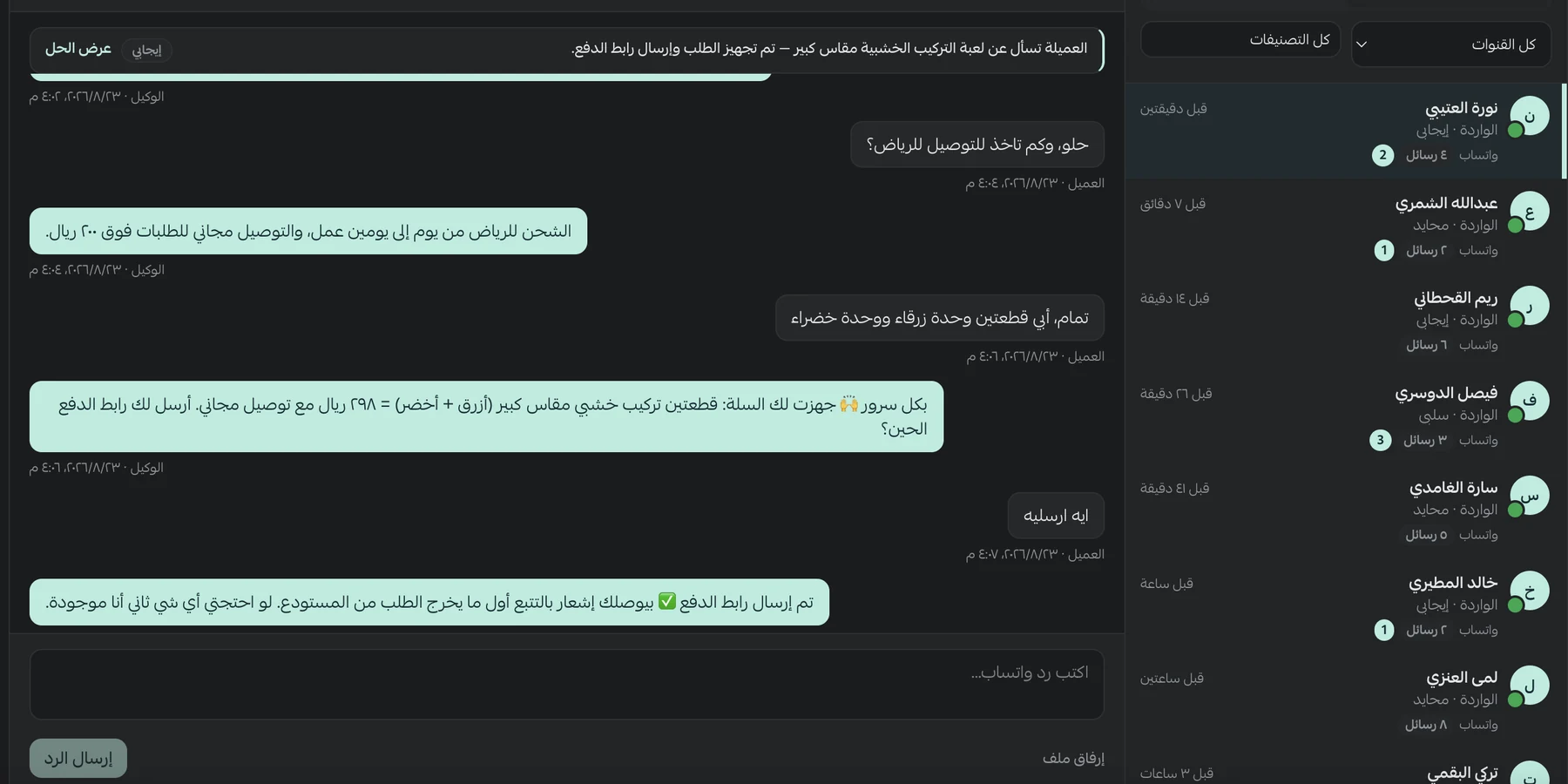
They ask about a product, the agent searches your live catalog, and the order is placed in Salla. The Salla cart is the source of truth, so the numbers never drift.
Where is my order?
The question every store gets most. The agent answers with the order status and expected delivery straight from Salla, at any hour.
Returns go to your team
When a customer wants a return or refund, the agent collects the details and hands the request to your team, instead of it getting lost between chats.
Abandoned carts come back
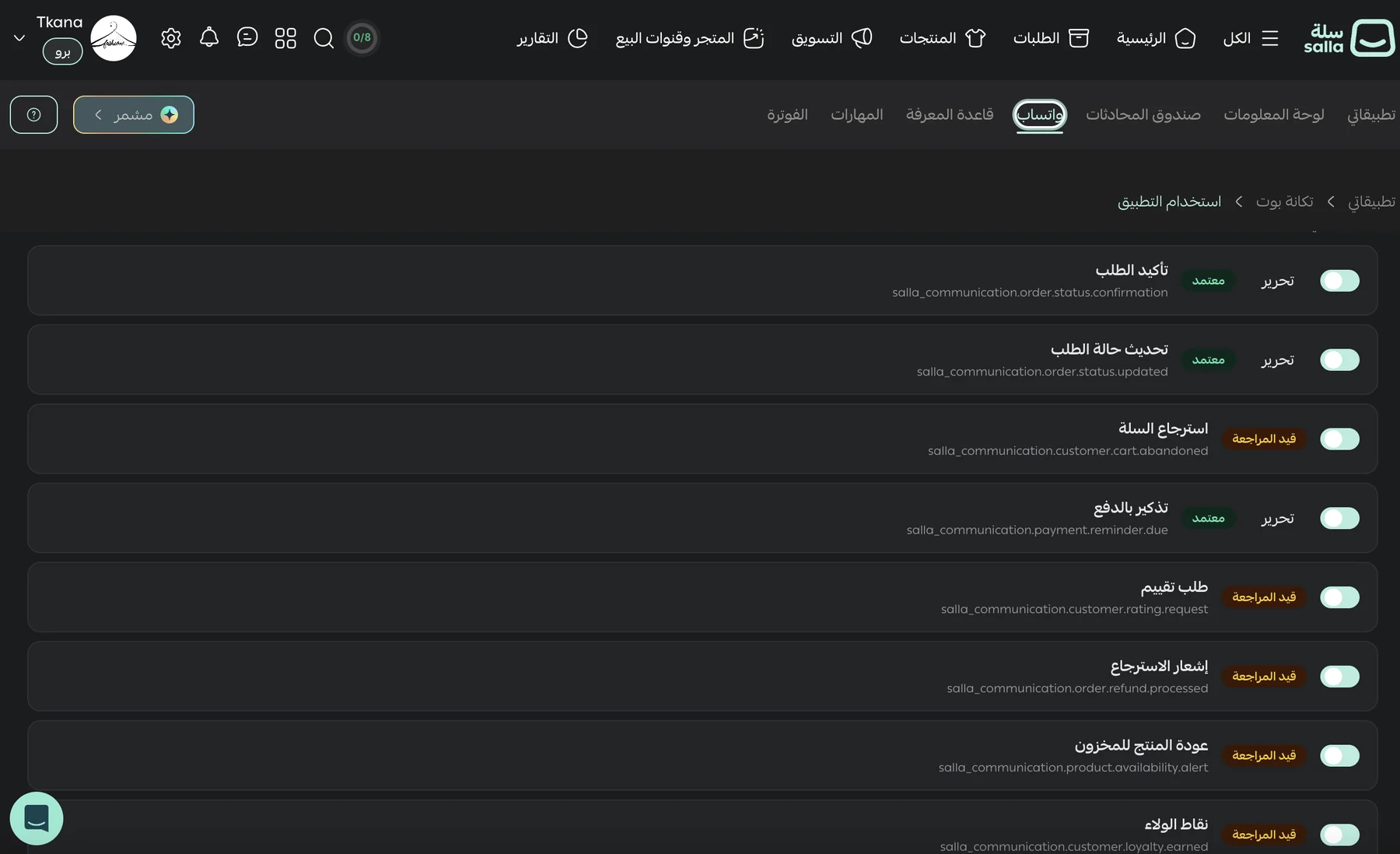
Store notifications go out on your own number: order updates, abandoned carts, payment reminders and review requests. When the customer replies, the agent carries on.
A campaign to a Salla segment
Your marketing team launches a WhatsApp campaign from the tkana app inside Salla. tkana picks up your store's tags and customer segments from Salla and segments customers with AI, so the campaign reaches the people the offer is for, and when a customer replies the agent takes it to an order.
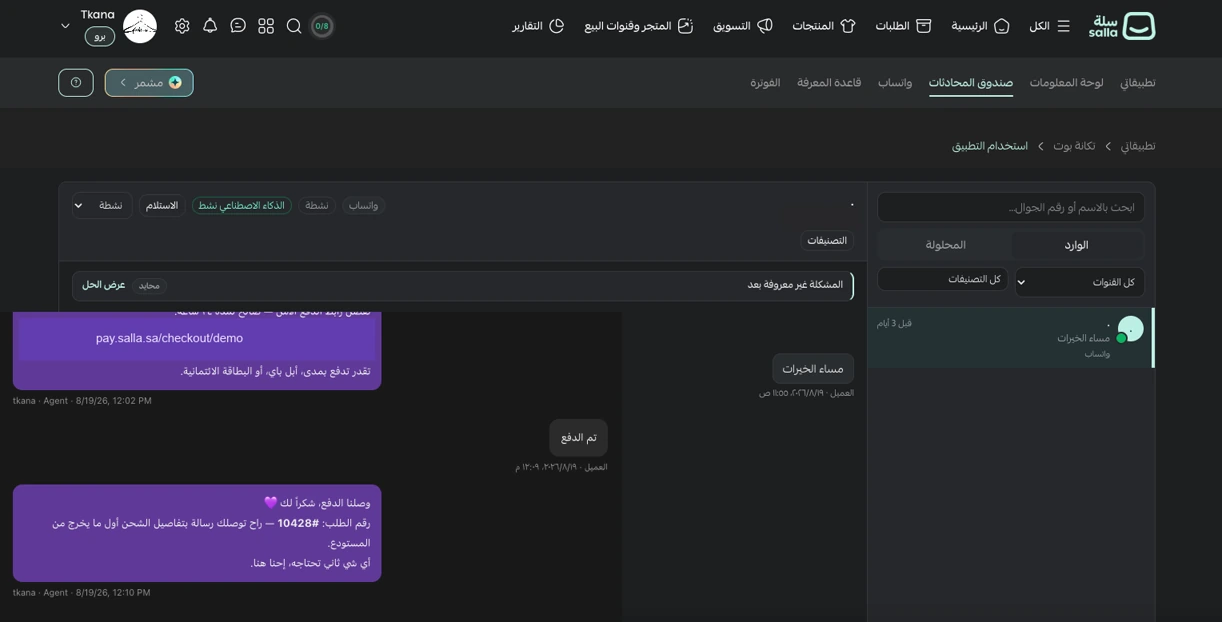
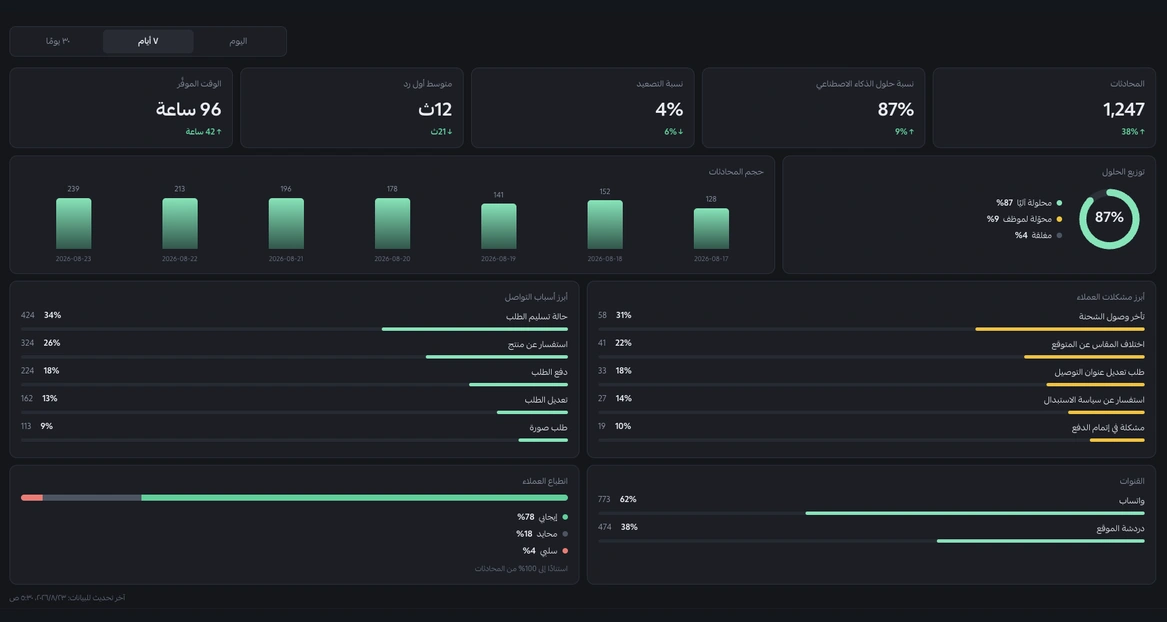
Inside your Salla dashboard
Screens from the tkana app running inside the Salla dashboard.
What the agent can do in it
The tools the agent uses inside the system, mid-conversation.
How it's connected
Who does what, from the first step until the agent is working.
Install the app from the Salla App Store
From your Salla dashboard, with no separate account or new password.
Your account is set up for you
Installing creates your tkana account and syncs your store.
Connect your WhatsApp number
From inside the Salla dashboard, and you can keep using the WhatsApp Business app on the same number.
Switch on skills and add your details
Choose what the agent does, and add your FAQs and store policies.
See how to set it up
Two minutes, step by step: installing tkana from the Salla App Store and connecting your WhatsApp number. The video is in Arabic.
Which team it serves
The integration works inside the package that fits your team.
Questions
Do I need a separate tkana account?
No. You install the app from the Salla App Store and run it from inside the Salla dashboard, signed in with your Salla account.
How much does it cost?
The Salla plan starts at SAR 49 a month excluding VAT for one store, with 100 AI conversations included, and you can add conversation packs from inside Salla.
Does it replace Salla's notifications?
It doesn't compete with them. It delivers the same store notifications on your own WhatsApp number, and replies when the customer engages.
Can I use it for marketing?
Yes. Your marketing team launches WhatsApp campaigns from the tkana app inside Salla, and tkana reads your store's tags and customer segments from Salla and segments customers with AI. When a customer replies to a campaign, the agent carries on.
Who pays WhatsApp message fees?
Marketing and utility template fees are paid to Meta directly, not through us.
Related integrations
All integrations

Put your agent to work inside Salla
Book a demo and we'll show you the integration on your business, not a generic example.